Used on real Twitch channels

What streamers built with MorrBot.

These stories come from streamers who approved their words, channel links, avatars, and any media shown here.

In their own words

Different channels use different parts of MorrBot. The common thread is less setup friction and more room to shape the stream.

MorrBot has made my stream more fun, interactive, and customizable. My community enjoys our AI character Brittney, my slideshow showcases my paintings, and personalized commands help regulars feel recognized when they enter the stream. I also love how much I can tailor MorrBot for charity streams.
MorrBot made my stream much easier to manage while I was still starting out. I use it for redeem management, ad warnings, streaks, early-bird redeems, sound alerts, and commands, which gives me more ways to interact with viewers without making stream management harder.
MorrBot has truly been essential for my streaming. It handles shoutouts, ad warnings, commands, and walk-on support in one place, so I don’t have to juggle seven different bots.
MorrBot takes care of some small but important things during my streams. I use it for giveaways, and my favorite feature posts a message after I raid so viewers who were left behind know where to go. I used to handle that manually before ending stream, and now I don’t have to.
Having used quite a few bots, I can confidently say that the MorrBot dashboard is very intuitive and user friendly. MorrBot has not only helped me as the streamer and reduced my workload and my stress, but it has without a doubt helped me grow my community.
StreamElements was a nightmare for me. I did not understand it, and there were about 20 steps to do one thing. MorrBot was super easy to use, it’s really straightforward, and if I have questions, I have Morr. Morr answers all the questions.
Other bots can be confusing without coding experience, but MorrBot’s natural flow for commands, redeems, and sounds made it simple to learn. I can customize nearly everything I want, and creating commands and picklists is genuinely fun, especially when viewers use them.
MorrBot has helped me build the fun, interactive, and safe stream I wanted. I use it for ad reminders, commands, sounds, widgets, subathons, timers, and custom channel-point redeems. Chaos chat, sounds, commands, and redeems are a huge hit with my community, and having Morr available when I have questions makes the experience go above and beyond other bots.

APotatoMermaid: from setup friction to a repeatable workflow

Previous setup problem

Before MorrBot, APotatoMermaid used three different bots because each provided different capabilities. Managing them added another source of technical problems alongside OBS.

Workflow adopted

APotatoMermaid consolidated walk-on greetings, channel-point redeems, stream alerts, ad warnings, automated messages, and Pointathon tracking into one MorrBot setup.

Observable result

Everything can now be managed in one place. APotatoMermaid reports that MorrBot is much easier to use and rarely breaks compared with the previous multi-bot setup, making streams easier to manage.
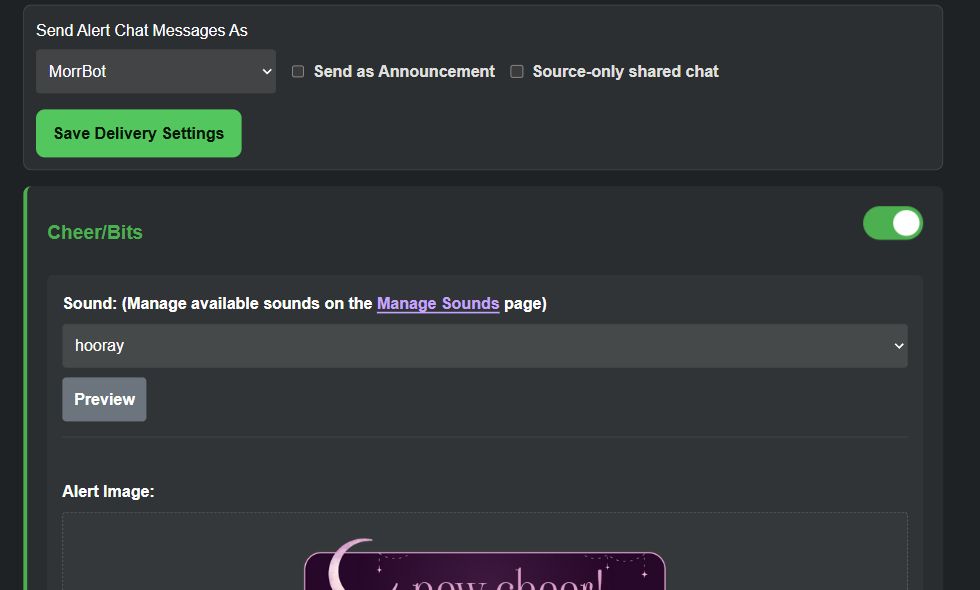
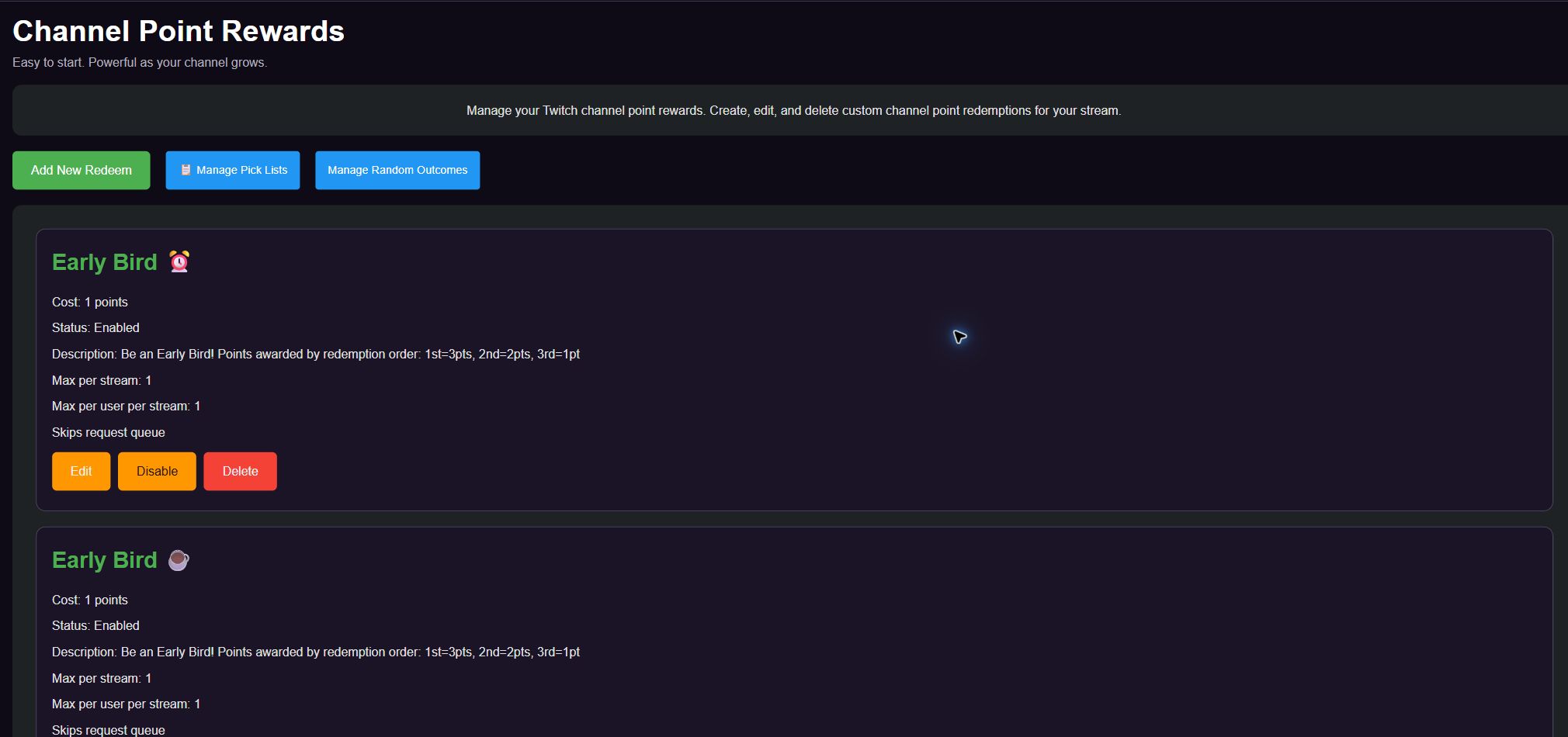
MorrBot alert settings configured to send chat messages and play a cheer sound.MorrBot Channel Point Rewards page showing APotatoMermaid’s Early Bird redeems.

Approved streamer stories are shown below.

Start with one workflow

Connect Twitch, choose a goal, and build from there.

Start FreeReturn to the MorrBot homepage